How do I submit my bank details?
The bank account where you want to receive your money must be in your name or the store owner's name, in your business's name, or in the name of a person with enough authority to represent your business.
Steps to register your bank details
-
Email [email protected] asking to submit your bank details
-
You will receive a personal link to fill in the form securely
infoImportant: for security reasons, the link is valid for 72 hours
Information required for each type of account
If your bank account is in the United States (ACH)
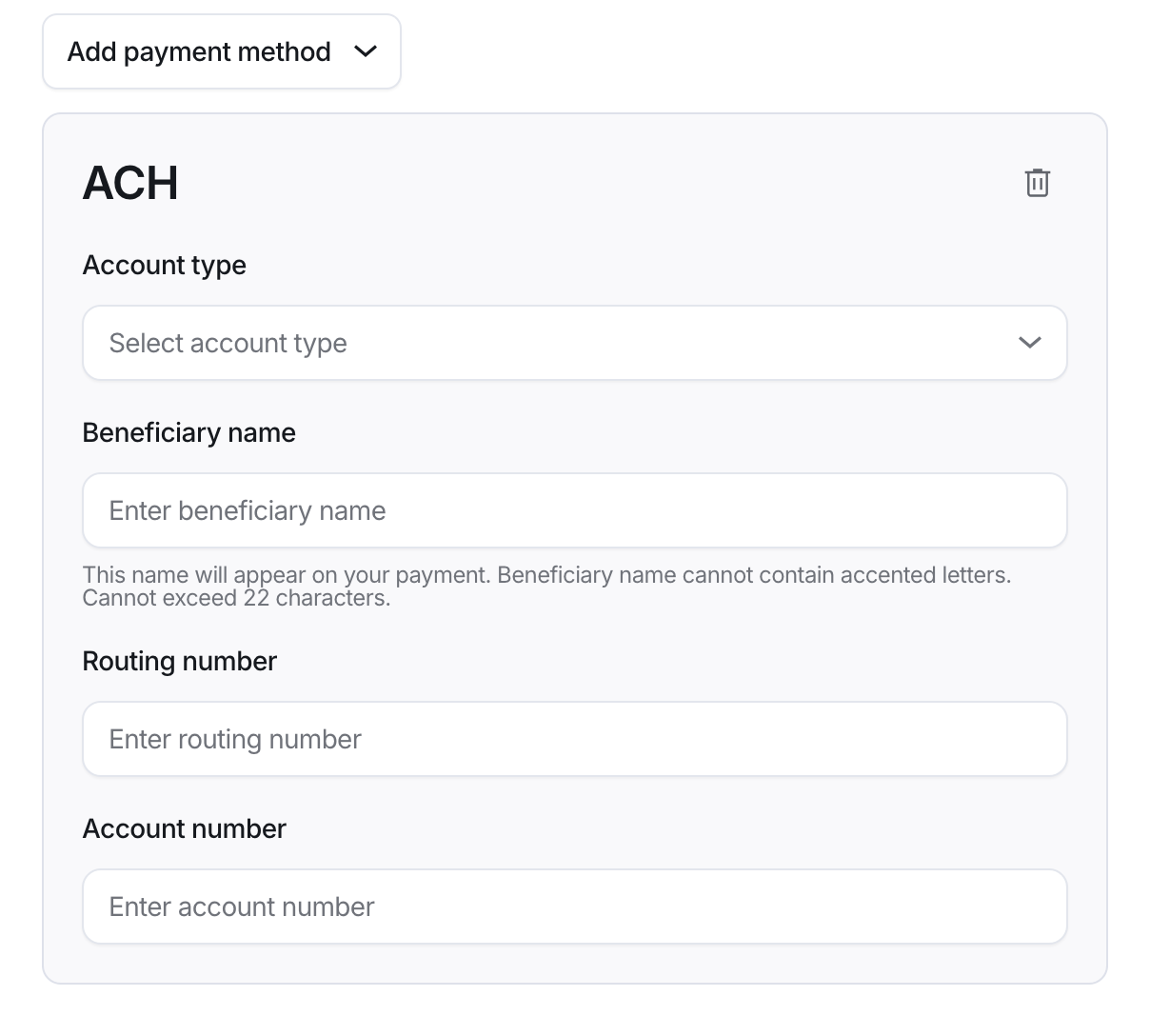
Select the ACH option and fill in these fields:
- Account type: the type of account (choose one of the available options)
- Beneficiary name: the beneficiary's name as it appears on the bank account. This name will appear on your payment. It can't contain accented letters or be longer than 22 characters
- Routing number: the bank's routing number (9 digits)
- Account number: the bank account number
If your bank account is not in the United States (International Wire)
Select the International Wire option and fill in the following information (the fields may vary by country):
Beneficiary details:
- Beneficiary type: the type of beneficiary
- Business: a company
- Individual: a person
- Account holder name: the name of the account holder
- Beneficiary address: the beneficiary's address
- Country: the country
- Address line 1: street and number
- City: the city
- State/Province: the state or province
- Zip code: the postal code
Bank details:
- Bank country: the country of the bank
- Swift code / BIC: the bank's SWIFT or BIC code
- IBAN / Account number: the IBAN or bank account number
Note: you can register up to two bank accounts to receive your payments (for example, one in your local currency and one abroad). Ask for a separate link for each account you want to register.