Set up a landing page
Choose between having a personalized landing page or giving direct access to your store or library.
1) Control Panel -> Settings -> Home Screen
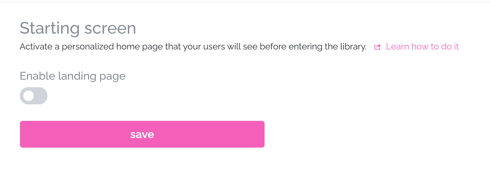
📌 You have 3 ways to set up how you want your home page to be:
- Directly display your library with the cover of your books
- Show the default home page that includes the platform and customize the texts
- Use custom CSS code and modify and add anything you want.
2) To use option 1, you just have to leave the Enable Landing Page option deactivated (by default). You can skip the following steps and click Save
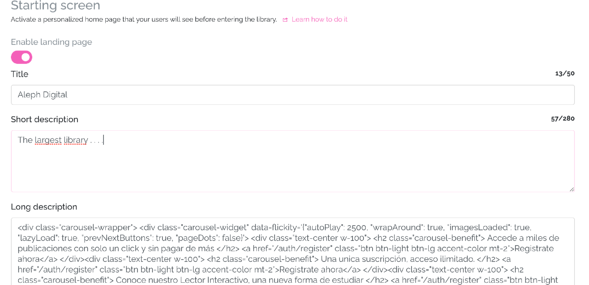
3) If you want to use option 2 or 3, you must Enable Landing Page and some text boxes will be displayed.
-
If you choose option number 2, complete the text boxes with whatever you want, you can even add HTML code to use text with specific formatting.
-
If the option you use is number 3, you must leave these boxes empty and go to the last box where you can add CSS code.
4) Once any of the previous steps is finished, click Save.
We hope this tutorial has been easy for you. If you have questions, write to us at [email protected].