Add admin users
In this article we will show you how to create users with the "administrator" role in your store.
Last updated 4 months ago
Add admin users to allow different members of your team to modify, upload and view information from the store.
The administrator user will be able to:
- Create other users and assign them plans or publications
- Export list of users and publications and see statistics of both.
- Upload posts and modify existing ones
- Create plans and coupons
- Modify any aspect of the library
1. Go to Control Panel > Users
2. Click Create or search for a user that already exists and click Edit
3. Check the Administrator box
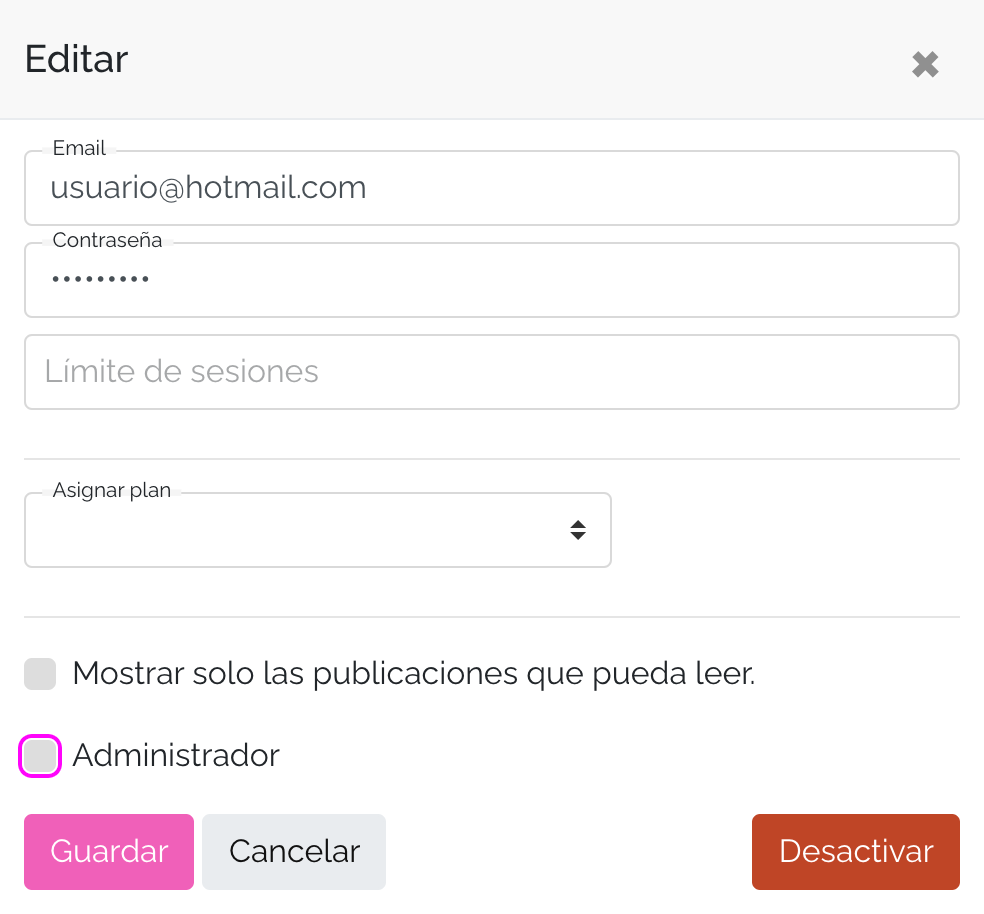
4. Click Save .
Ready! you assigned the administrator role to the user. In the user dashboard you will see it this way:

If you want to remove the administrator role from a user, you can do so by unchecking the Administrator box.
We hope this tutorial has been easy for you. If you have any further questions, write to us at [email protected].