My Library
My Library is your personal space on the platform. From here you'll be able to see all the content you have available, pick up any reading where you left off, and check your reading stats.
To access it, open the menu you'll find in the top right corner of the store and select My Library.
In this article:
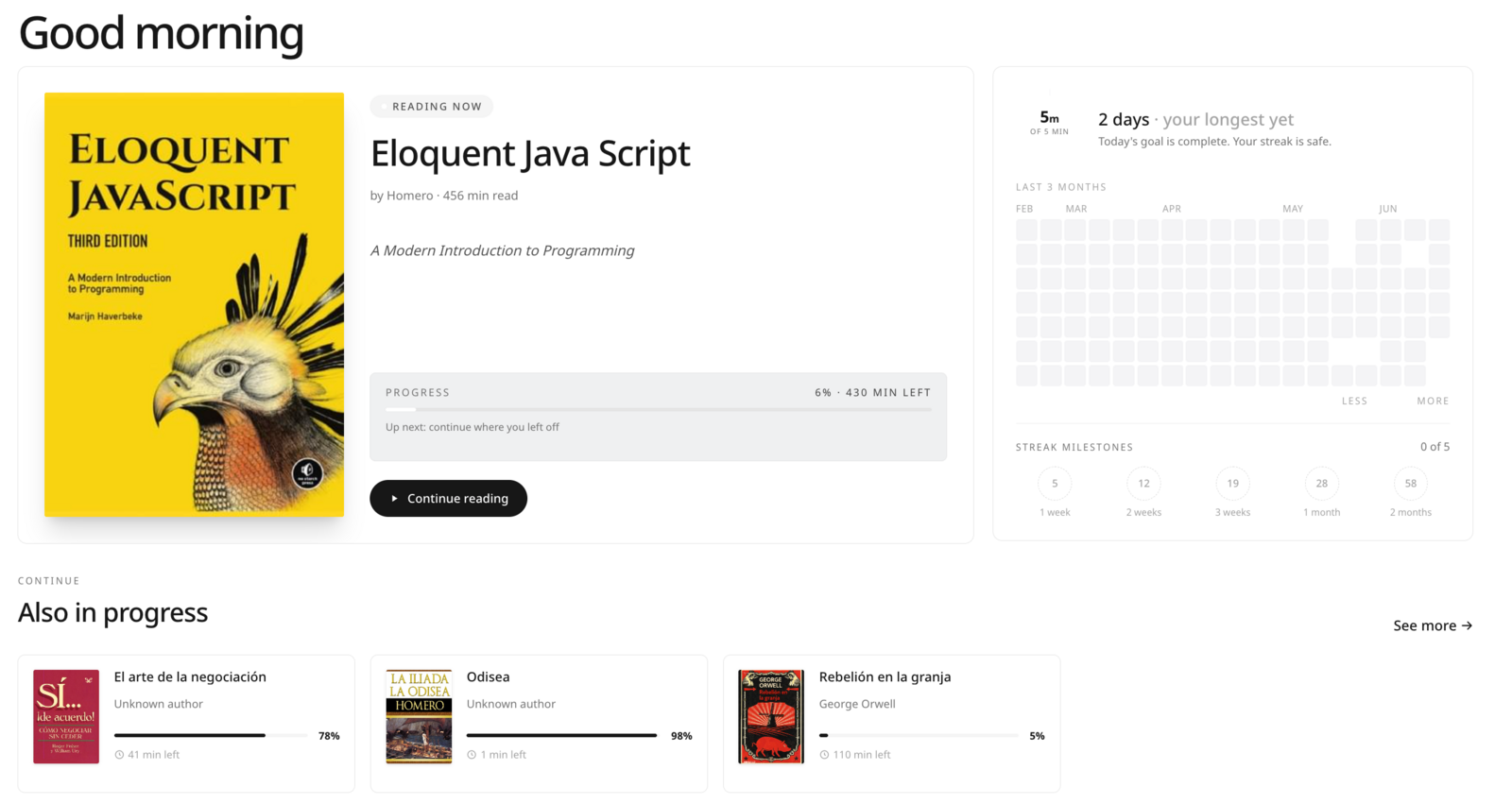
1. Reading Now
This section will show the book you're currently reading: the last one you opened that you haven't finished yet.
From here you'll be able to see:
- The book cover
- Your progress percentage
- The estimated time remaining to finish it
- The Continue reading button, which will open the book right where you left off
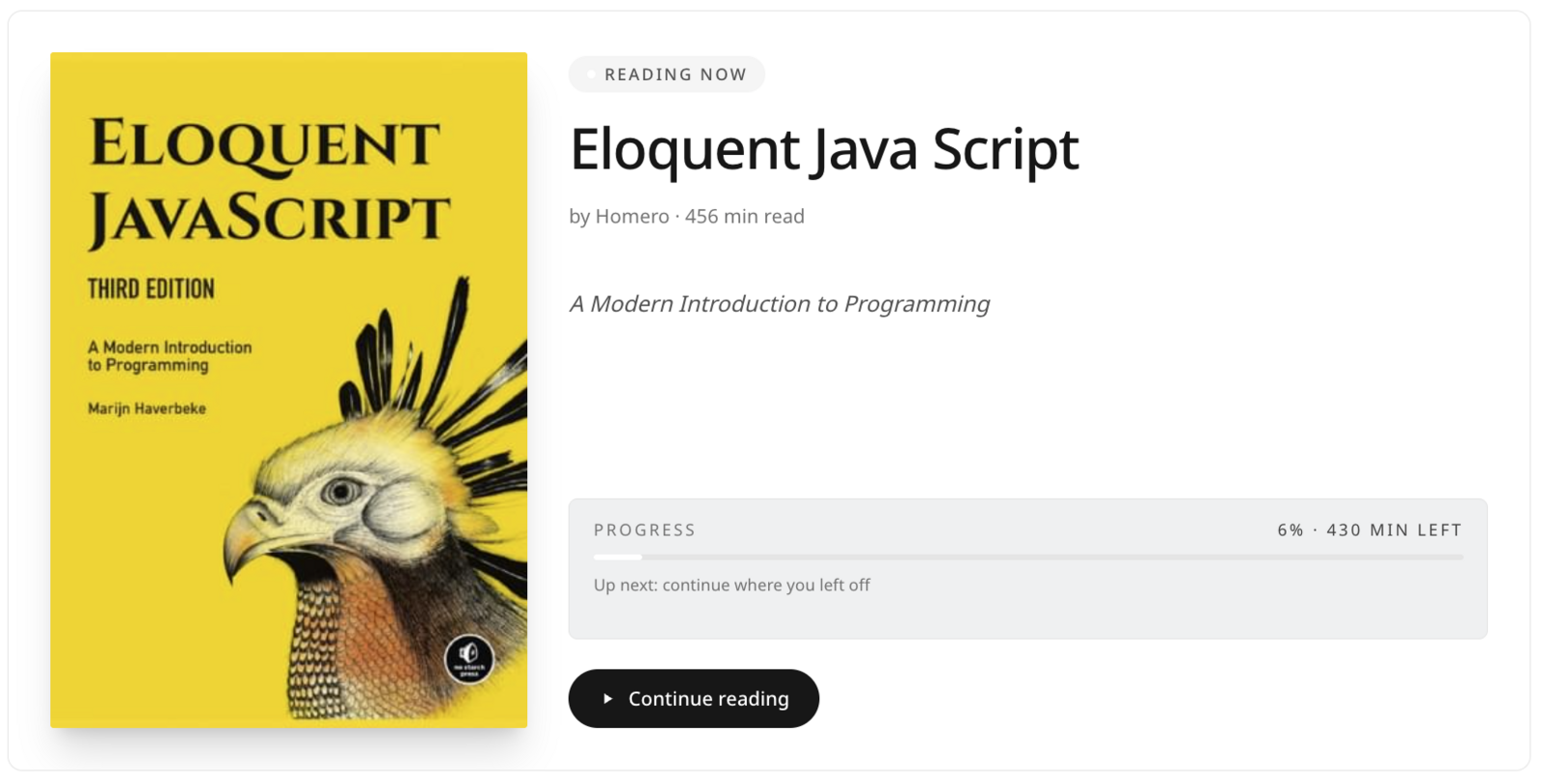
|| The progress percentage and time remaining are calculated based on the time you spent reading, not your exact position in the book.
If you have no books in progress, this section will invite you to start reading.
2. Reading Stats
The stats panel will show your reading habit over time.
It includes four elements:
- Daily goal ring – will show how much you've read today relative to your daily goal.
- Reading streak – will show how many consecutive days you've read.
- Activity heatmap – a calendar covering the last 6 months where you'll be able to see which days you read.
- Streak milestones – badges that unlock when you reach these goals.
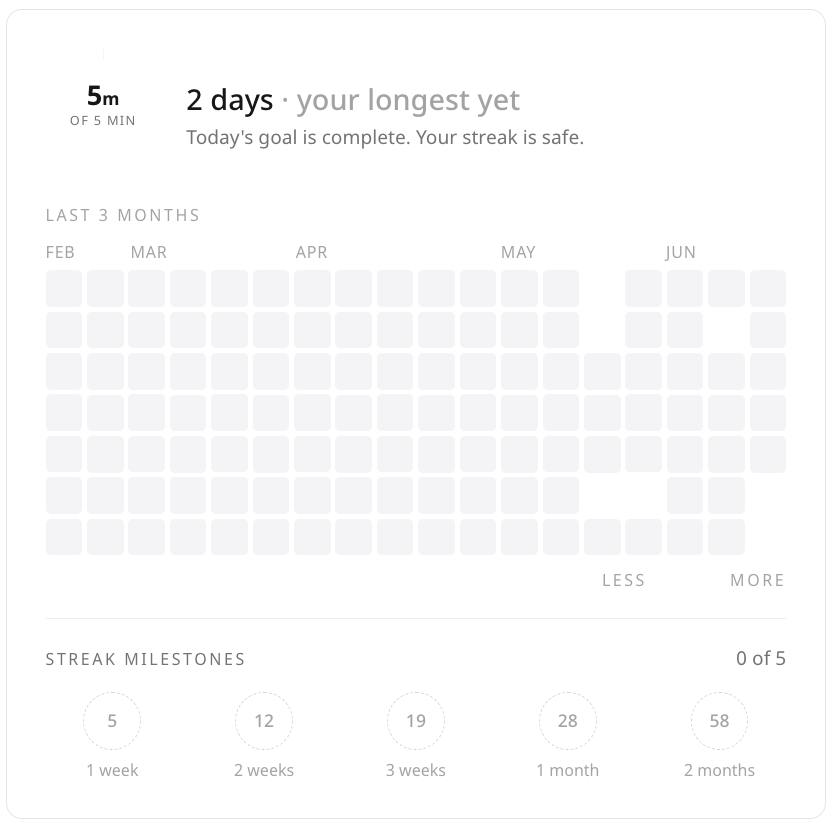 || Any reading activity on a given day counts toward keeping your streak alive.
3. Also in Progress
If you have more than one book started, the others will appear here (in addition to the one featured in the main section).
Each book will show its cover and a progress bar. Click on any of them and you'll open it where you left off.
 | If you only have one book in progress, this section won't appear.
4. Everything on Your Shelf
This section will show all the content you have available, displayed in a grid.
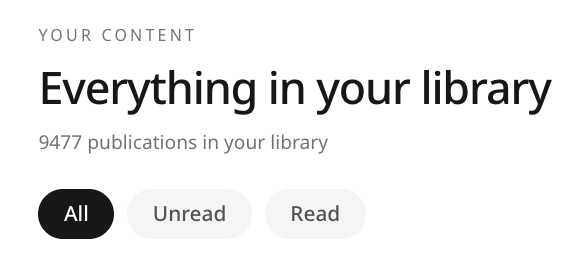 You'll be able to filter your shelf using the following options:
| Filter | What it shows |
|---|---|
| All | All your content, ordered by acquisition date |
| Unread | Content you haven't opened yet |
| Read | Content you've already completed |
We hope this article was helpful. If you have any questions, reach out to us at [email protected].