Translate Text In The Reader
The reader includes an AI translation tool that lets you translate any selected passage into more than 100 languages, without leaving the publication.
|| Translation requires an internet connection and is available for publications in PDF and EPUB format.
How to translate a passage
1. Select the text you want to translate inside the publication.
2. In the toolbar that appears, click Translate.

3. The translation panel opens showing the automatically detected source language.
4. Select the language you want to translate to from the dropdown menu.
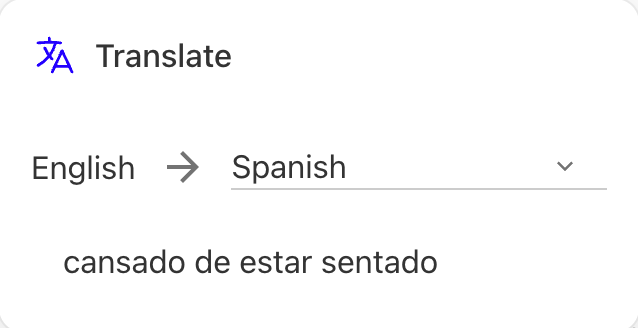
5. The translation appears in seconds.
|| If the detected language isn't correct, you can select it manually in the same panel.
Available languages
The tool supports 112 languages, including Spanish, English, Portuguese, French, German, Italian, simplified and traditional Chinese, Japanese, Korean, Arabic, Hindi, and many more.
Privacy
Only the text passage you selected is sent to the translation service, never the full content of the publication. The processed text isn't stored or used to train artificial intelligence models.
We hope this article was helpful. If you have questions, write to us at [email protected].